End a live discount early with End now
End now ends a live offer before its end time. PopAutomate puts back what the schedule changed in your store, and the schedule does not run again.
Steps
Path: Schedules > End now > End the offer now
- In the Shopify admin sidebar, under PopAutomate, click Schedules.
- Find the schedule with the Live badge and click End now on its row. The button shows only while the schedule is Live.
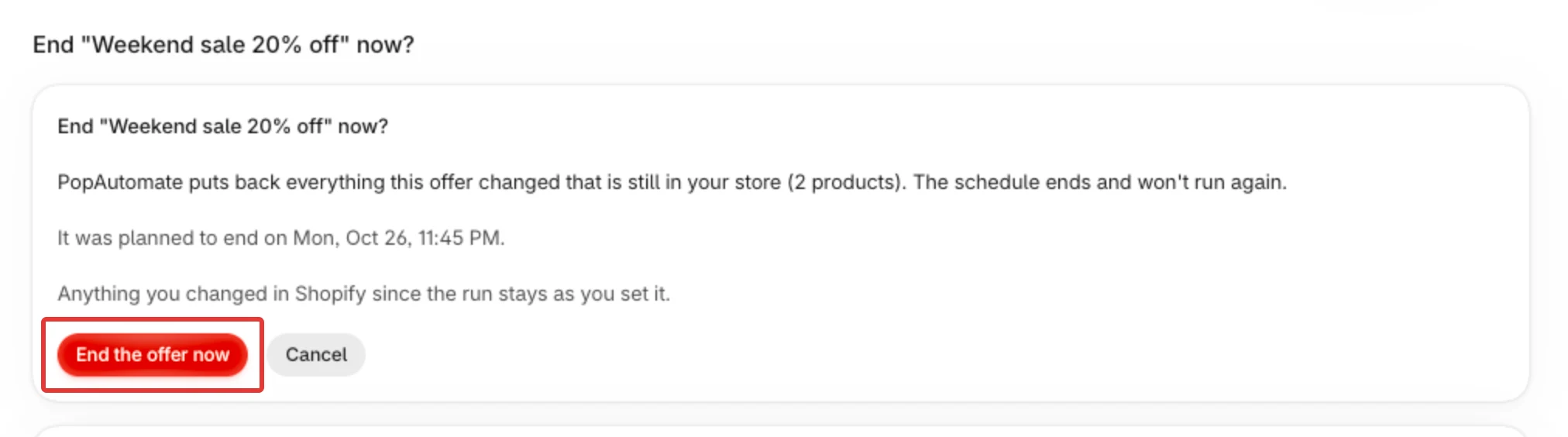
- Read the confirm step, End "Weekend sale" now? (with your schedule's name). It says "PopAutomate puts back everything this offer changed that is still in your store" and counts the products. It also says "The schedule ends and won't run again." and, when the offer had an end time, "It was planned to end on …".
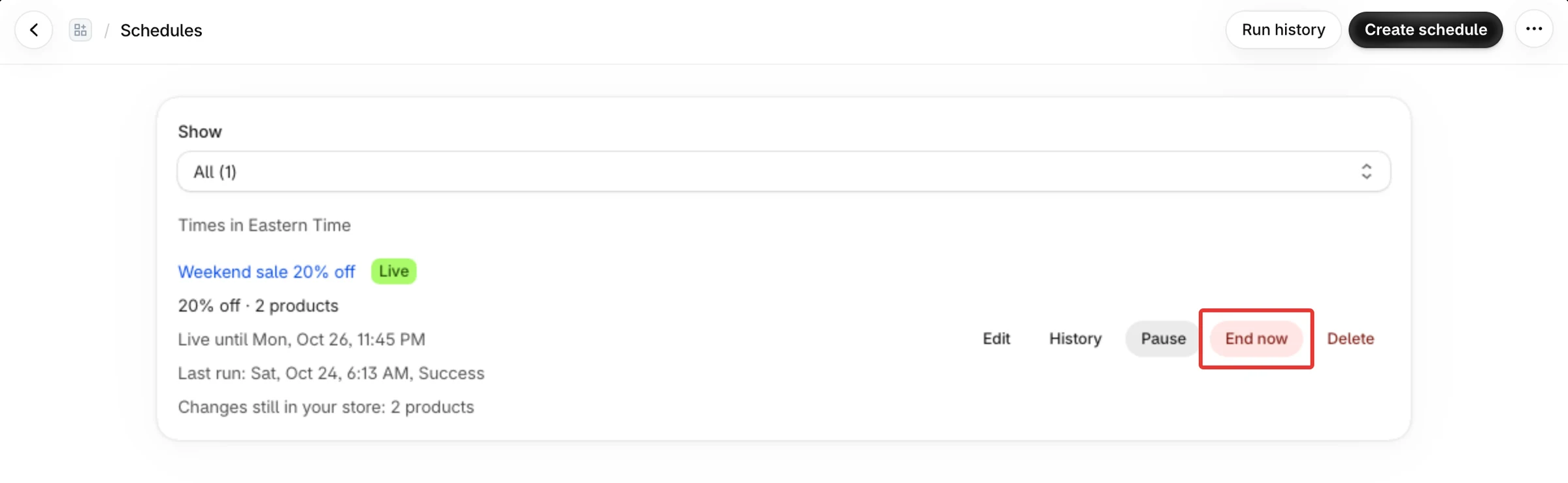
- Click End the offer now. Cancel leaves the offer as it is.
- A message at the top names the schedule and says "Offer ended. Putting your products back." Click History in that message to follow the restore.
You can also end an offer from its Edit schedule page, and from its run's details. On Edit schedule, the banner This offer is live in your store has the End now button. In the run's details, the Put the changes back section says the offer is still running and shows End now instead of Restore now.
Result
What End now does:
- It puts back every change of the schedule that is still in your store, not only one run's. For a weekly schedule that includes the changes of earlier days that are still in place.
- The schedule ends. It does not run again, also if it repeats every week. It is not paused, so it has no Activate button afterwards.
- While the restore runs, the row says Running. When it has finished, the row says Ended, with "You ended this offer early, on …. It was planned to end on …." when the offer had a planned end time. The same line shows on the Edit schedule page.
- The restore appears in History as a run of the kind Restore. Open it with View details. A change you made in Shopify after the run stays as you set it, and that row reads Kept: changed in Shopify after the run.
If nothing from the offer is left in your store, the confirm step says "Nothing from this offer is left in your store to put back. The schedule ends and won't run again." and the message afterwards says "Nothing from this offer was left in your store. The schedule has ended."
In the rare case that a run is still changing your store when you confirm, the message says "Offer ended. Your products go back when the current run stops." and the restore starts when that run stops.
Rules
- End now is offered only while the schedule is Live: its change is in your store and waits for its end time. A schedule that has not started, is paused, or has finished has no End now button.
- A Discount is Live until its end time. A price change, a Hide or Show, or a collection change is Live only when Put everything back at the end is on and its end time is ahead.
- Pause is not End now. Pausing stops later runs and puts nothing back. See Follow your schedules: Home, history and restore.
- A second click, or a click in another tab, changes nothing more. The message says "This offer has already ended." or "This offer is already ending. Your products are being put back."
- If PopAutomate cannot end the offer, the message reads The offer was not ended with a reason, such as "That did not work. Try again."
- Products that were deleted from Shopify have nothing to put back. A product that could not be put back shows Couldn't be put back in the run's details. See Some changes could not be put back: Retry restore.
If it did not work
- No End now button on a schedule: check its status in Follow your schedules: Home, history and restore
- The offer ended but prices are still changed: Some changes could not be put back: Retry restore and Prices did not go back after the schedule ended
- To end a discount at a set time instead: Schedule a discount that starts and ends on time
Next
Did this article answer your question?