Uninstall PopAutomate and what happens to your data
You uninstall PopAutomate from the apps list in your Shopify admin. PopAutomate then pauses all your schedules and changes nothing more in your store, but it does not put back what it already changed. Your PopAutomate data is deleted 48 hours later, unless you install the app again before then.
Steps
Path: Shopify admin > Settings > Apps > PopAutomate > Uninstall
- Before you uninstall, end or put back your live schedules. PopAutomate reminds you with a note: "Before you uninstall PopAutomate, end or put back your live schedules. After it is uninstalled, PopAutomate cannot change your products back." You see it in Settings under Before you uninstall, on Help, and on Home while a schedule is running or live.
- A discount that is live now: open Schedules and use End now on it. PopAutomate puts back everything the offer changed that is still in your store, and the schedule ends. See End a live discount early with End now.
- A schedule that already ended or stopped but left changes in your store: open its run in History and use Restore now. The run's details say Still in your store for what has not been put back. See Follow your schedules: Home, history and restore.
- Then wait until the run's details show the changes as put back, for example Put back (run #3).
- In your Shopify admin, open Settings, then Apps.
- Next to PopAutomate, open the menu and choose to uninstall it.
- In Shopify's window, pick a reason if you want, then confirm the uninstall.
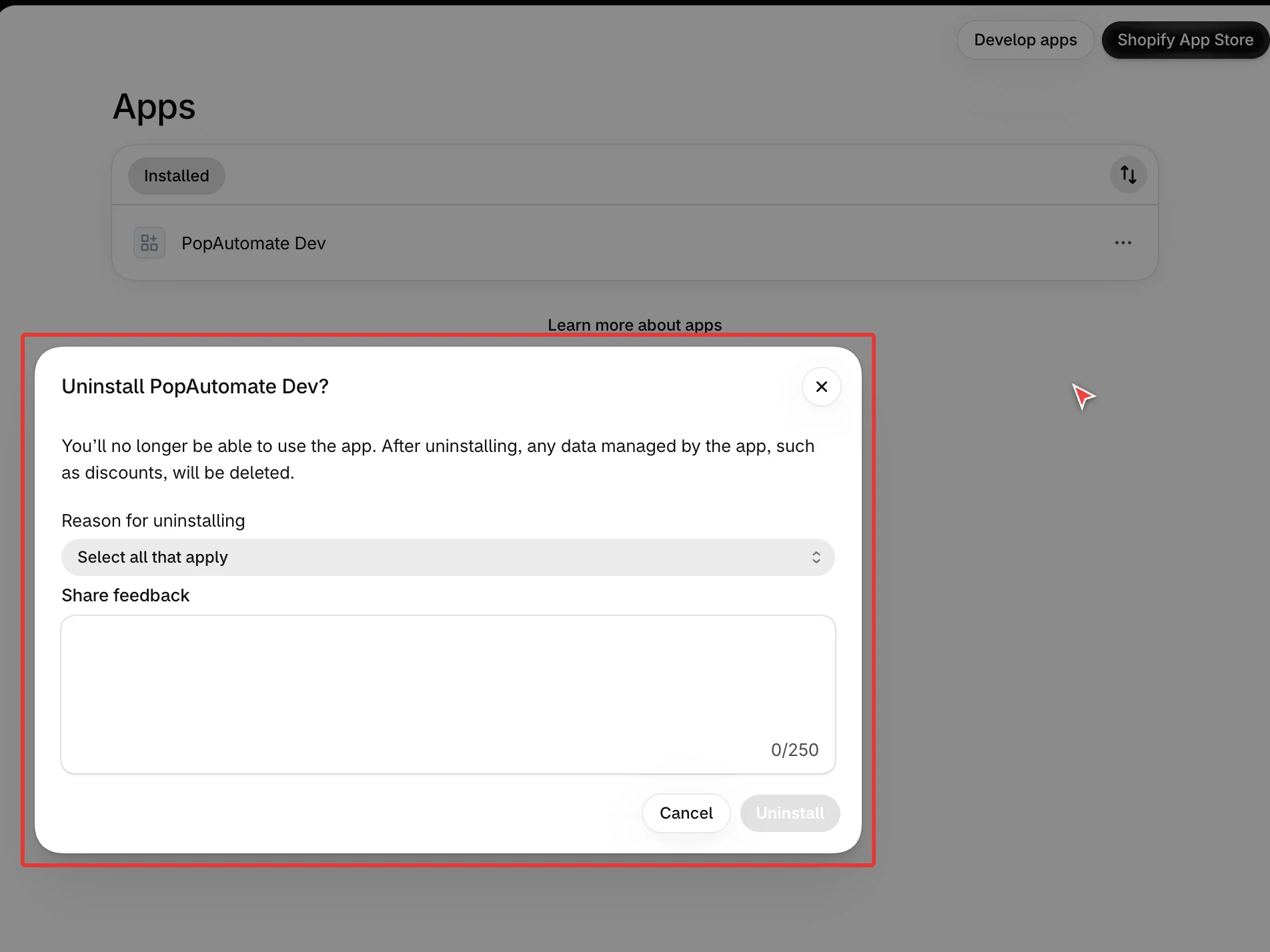
Shopify's window says the app's data, such as discounts, is deleted. That does not apply to prices PopAutomate already changed in your products: they stay as they are.
Result
- PopAutomate loses access to your store at once.
- Every schedule that was turned on is paused. A run in progress stops after the part it is working on, and what it changed stays there to put back.
- Your products stay as they are now. Discounts that are on stay on, hidden products stay hidden, and collection changes stay.
- A put-back that falls due while the app is uninstalled waits and is looked at again every 15 minutes. It cannot run without access to your store. Do not count on it, and put your prices back before you uninstall.
- Shopify cancels your PopAutomate subscription. PopAutomate records your plan as Free.
- PopAutomate does not email you about it.
- 48 hours after you uninstall, PopAutomate deletes your store's data for good, unless you installed the app again.
Rules
What is deleted after 48 hours
- Your schedules, including deleted ones, with the products and collections they target.
- The record of every run and of each product it changed, before and after.
- Your settings: the language and the regions you ticked.
- What PopAutomate read from your store: its country, time zone and currency, and the shipping countries it found.
- Your plan record, the setup guide state and the store connection with its access keys.
After that, PopAutomate cannot put back anything a schedule changed.
What PopAutomate never stores
PopAutomate does not read or store your orders or your customers' data. It reads and updates your products and where they are published.
A short log of the messages Shopify sent about your store (your store address and message ids, no product data) is kept for 30 days, then removed.
Install again
- Within 48 hours: your schedules and settings come back. Your schedules stay paused until you turn each one on again. Home says so: "Paused schedules do not run. Schedules paused when the app was uninstalled stay paused after you reinstall it. Turn them back on from Schedules." Select View paused schedules, or see My schedules are paused or missing from Home.
- After 48 hours: you start from scratch, with no schedules, on the Free plan.
- A paid plan needs a new approval on Shopify's page. While your data is kept, there is no new free trial. See Plans and billing: Free, Pro and the trial.
If it did not work
- Prices or other changes are still in your store after you uninstalled: change them back in your Shopify admin yourself. PopAutomate can no longer reach your store.
- You installed again and Home shows no schedules: they are paused. See My schedules are paused or missing from Home.
- Another question about your data: see Get help with PopAutomate on Shopify.
Next
Get help with PopAutomate on Shopify
Or go back to Your plan, settings and data.
Did this article answer your question?