End a discount at a set time on Salla and Zid
The End Discount card removes the sale price from the products you choose, at the time you set. Every product goes back to its original price, no matter who set the discount.
After the run, you cannot undo End Discount, and no button brings the discount back. To end an offer from a PopAutomate schedule, use End offer now on that schedule's page instead.
Steps
Path: Schedules > New schedule > What happens? > End Discount > Which products? > When? > Review & activate
- Click New schedule in the menu on the left, and enter a name in Schedule name. On your phone, tap the + button in the bottom bar.
- Under What should happen to your products?, choose the End Discount card, then click Next.
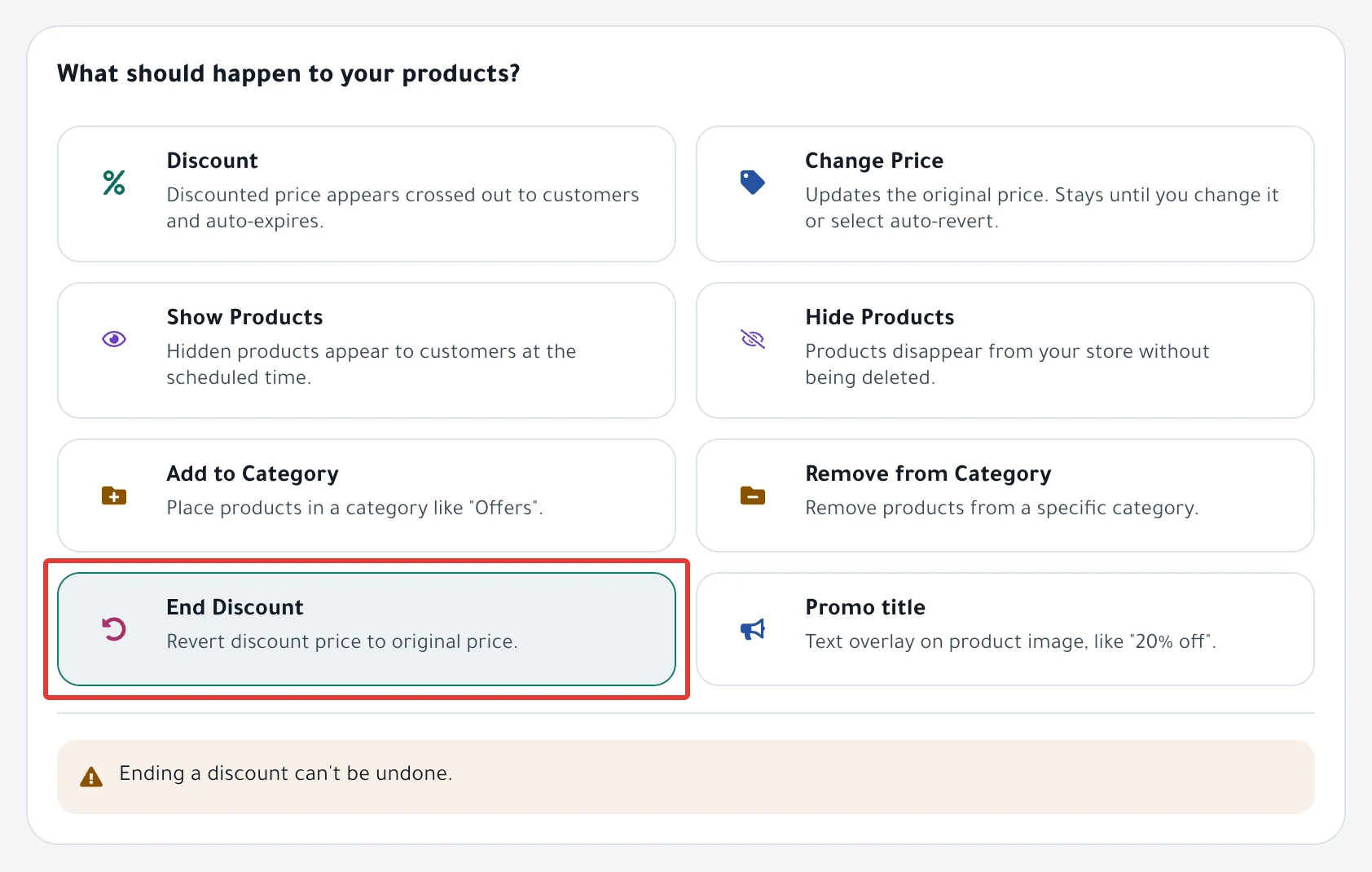
- In Which products?, choose Products and check the products you want, or choose Categories. Then click Next.
- In When?, choose One time. Under Starts, choose On schedule and set the date and time, or choose Now. Then click Next.
- On the Review & activate step, check the products, then click Enable scheduling. If you chose Now, the button reads Activate and run now.
Result
The message "Schedule saved." appears. At the start time, PopAutomate removes the sale price from each product, and customers see only the original price.
- On Zid, PopAutomate removes the sale price from the product and from all of its options.
- On Salla, the promo title stays on the product if it has one.
To see which products changed, read Schedule run results: what changed in your store?.
Rules
- End Discount removes every sale price on the products you choose, including a discount you added directly in Salla or Zid.
- This schedule has no At the end section, and the discount does not come back at any time. If you add an End date, nothing changes in your store at that time.
- To end an offer that started from a PopAutomate schedule, read End an offer and restore prices now. To learn what comes back at the end of an offer, read Restoring prices after an offer: what comes back?.
- A new discount that ends on its own at a set time does not need End Discount. Read Schedule a discount on Salla and Zid.
If it did not work
- Some products still have the discount: Some products did not change after a schedule ran
- The discount ended at a different hour: A discount started or ended at the wrong time
Next
Schedule run results: what changed in your store?
Or go back to Schedule Salla and Zid products: discount, price, visibility.
Did this article answer your question?