Repeat an offer every week on Salla and Zid
In the When? step, choose Repeats, then the days and the time. The offer runs on every day you choose and ends on its own at the end of the day.
On Zid, a repeating discount with no time in To ends at 2:59 AM Riyadh time (GMT+3). With All day, it starts at midnight, so it lasts only about 3 hours. To cover the whole day, turn off All day, then choose a time in From and a time in To before 11:59 PM, such as 11:00 PM.
Steps
Path: New schedule > What happens? > Which products? > When? > Repeats
-
Set up the schedule up to the When? step, as in Schedule a discount on Salla and Zid: the name, the card and the products.
-
Under When?, choose the Repeats card.
-
Choose the type of repeat: Days of the week, Days of the month, Every day or Every how many days.
-
Choose the days. For days of the week, click Weekend (Friday & Saturday), Thursday & Friday or specific days. For days of the month, click Payday (25th–28th) or specific dates.
With Every how many days, enter a number from 2 to 365.
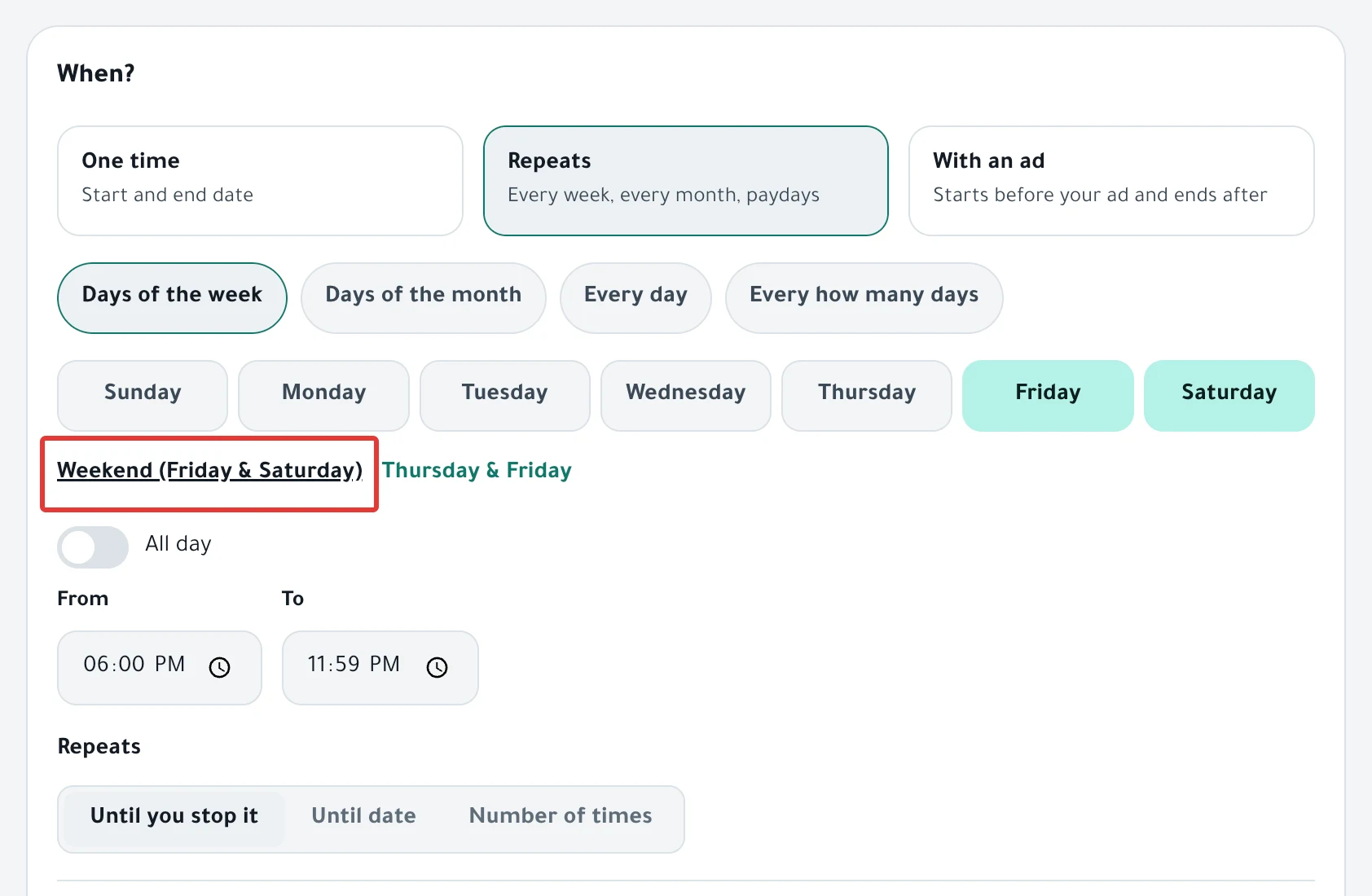
- Leave All day turned on, or turn it off and set the time in From and To.
- Choose when the repeats stop: Until you stop it, Until date or Number of times.
- Under At the end, choose Restore it so the products go back to how they were at the end of each day, or choose Changes stay. Then click Next. A discount does not show this choice, because a discount ends on its own.
- Under Review before you turn it on, read the sentence that describes the schedule and check the days. Then click Enable scheduling.
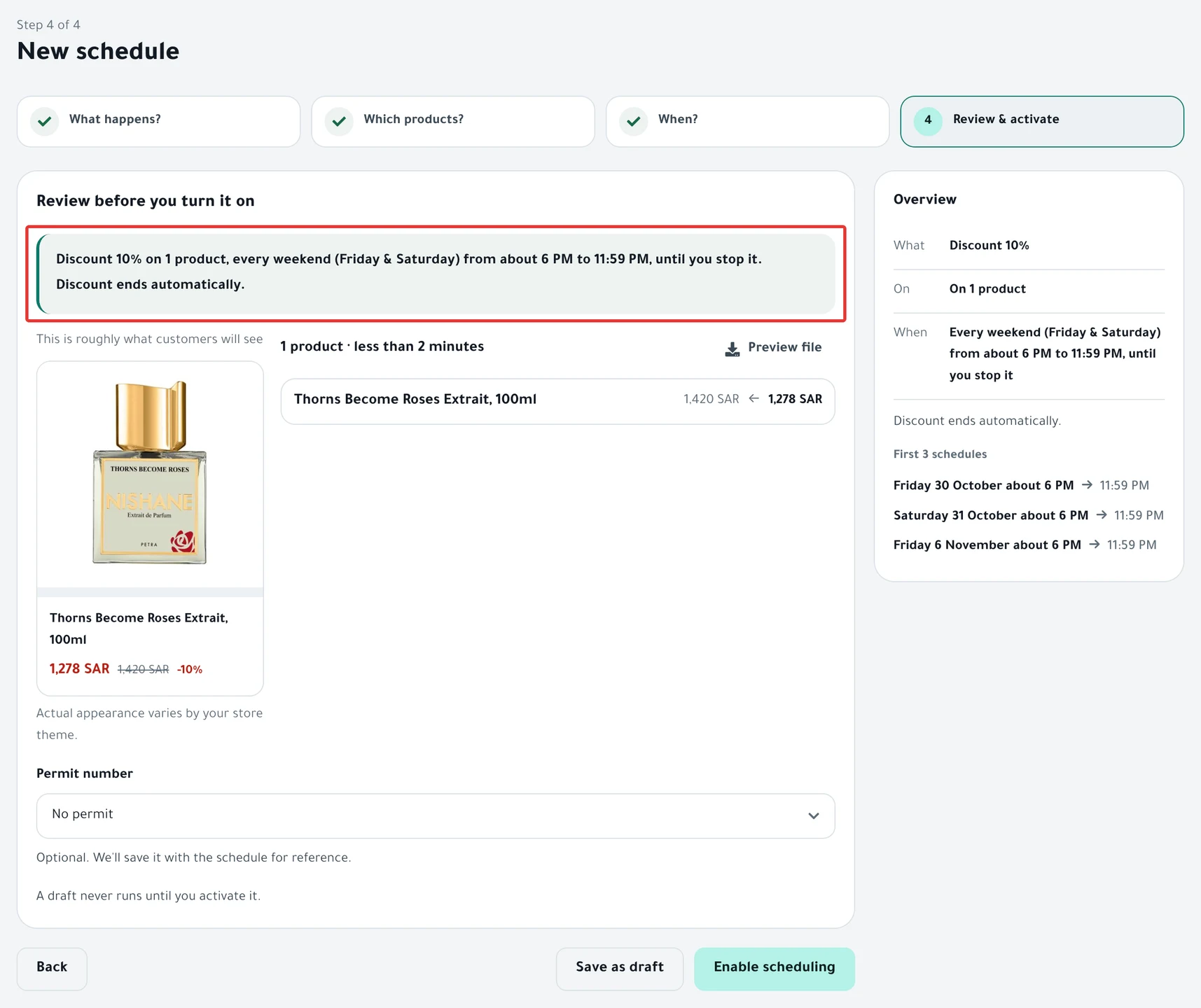
Result
- The repeats start today. The first run is on the first of your chosen days, counting from today.
- On each repeat day, PopAutomate starts the run within about a minute of the From time. With All day, it starts at midnight.
- On Salla, the discount ends at the end of the day, or at the To time if you set one.
- With Restore it, the products go back to how they were at that same time, at the end of each repeat day.
To follow each run, read Schedule run results: what changed in your store?.
Rules
- In PopAutomate, the weekend is Friday and Saturday. This also applies to older repeating schedules set to the weekend.
- "Short months: days 29–31 run on the last day of the month."
- With Change Price by a percentage or an amount, choose Restore it: "A repeating increase or decrease must be restored at the end of each run, or it adds up."
- Tiered discount does not work with repeats: "A tiered discount is for a one-time offer or an offer with an ad, not a repeating one."
- If two runs in a row fail, PopAutomate pauses the schedule and its status becomes Disabled. Fix the cause, then turn the schedule back on.
- All times are in your account time zone (Settings > Store & timezone). The default is Riyadh time. To change it, read Change the schedule time zone in PopAutomate.
If it did not work
- The offer did not run on one of the days: A schedule did not run on time: why and how to fix it
- The offer started or ended at a different hour: A discount started or ended at the wrong time
Next
Schedule run results: what changed in your store?
Or go back to Schedule Salla and Zid products: discount, price, visibility.
Did this article answer your question?