Wrong password: email sign-in does not work in PopAutomate
Most likely your account has no password you know, because you installed the app from Salla or Zid. Click Forgot your password? and choose a password.
What you see
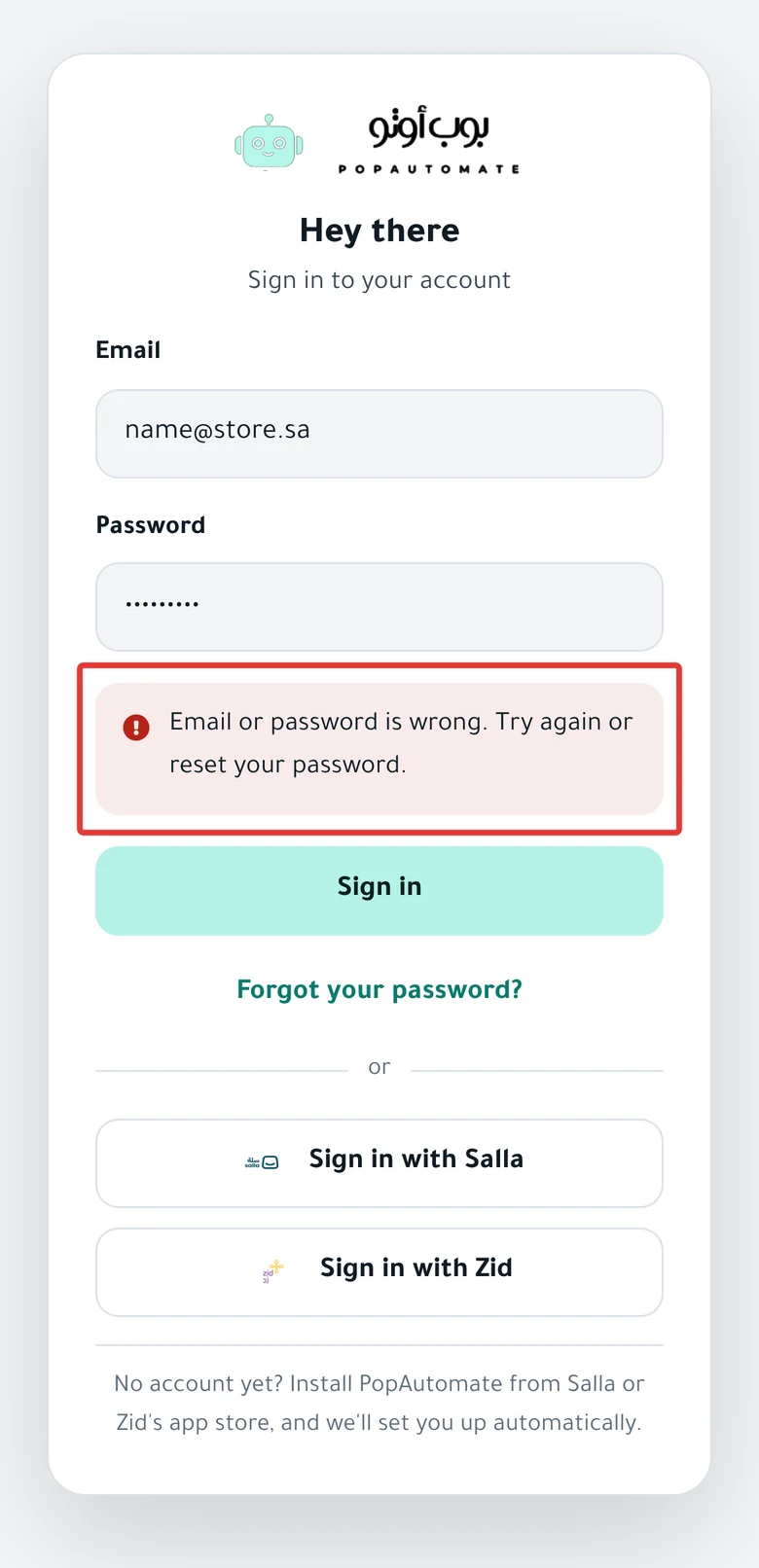
On the sign-in page, under the Password field, you see one of these messages:
- "Email or password is wrong. Try again or reset your password."
- "Too many attempts. Wait a minute and try again."
- "We couldn't reach the server. Check your connection and try again."
- "Enter your email and password." or "Enter a valid email."
- A message in Arabic saying the password must be at least 6 characters. The server sends it in Arabic, even when the page is in English.
After you open the password reset link from the email, you may see:
- This link has expired and "A password reset link works once, for one hour. Ask for a new one."
- "The passwords don't match." or "At least 8 characters."
Why it happens
- You installed PopAutomate from Salla or Zid, so PopAutomate created your account with a password you do not know.
- You entered an email that is not your account email. Your account email is the store owner's email in Salla or Zid on the day you installed.
- You tried more than 5 times within one minute.
- Your internet connection dropped when you clicked Sign in.
- The password reset link is more than an hour old, or you already used it.
Fix
Choose a new password
- On the sign-in page, click Forgot your password? under the Sign in button.
- Enter your account email and click Send link.
- Open the email with the subject "إعادة تعيين كلمة المرور" ("Reset password") and click the button in it. The email is in Arabic.
- Enter a password of 8 characters or more in both fields, and click Save password.
- Click Sign in, and sign in with your email and the new password.
Details in Forgot your PopAutomate password: choose a new one.
If you do not want a password, click Sign in with Salla or Sign in with Zid on the sign-in page.
After you sign in with email and password, check your time zone as in Change the schedule time zone in PopAutomate.
Wait a minute, then try again
- Do not click Sign in again right now.
- Wait a full minute.
- Enter your email and password carefully, and click Sign in once.
If you do not remember your password, do not keep trying. Follow Choose a new password.
Check your internet connection
- Check that the internet works on your device by opening any other website.
- Refresh the sign-in page.
- Enter your email and password, and click Sign in.
Fill in the fields correctly
- Enter your full email, such as name@store.sa, with no spaces.
- Enter your password in the Password field.
- If an Arabic message says the password must be at least 6 characters, the password you entered is too short. Enter it in full, or choose a new password.
- On the Choose a new password page, enter the same password in New password and Confirm password.
Ask for a new link
- On the This link has expired screen, click Send link.
- Check the email in the field, and click Send link again.
- Open the new email within an hour, and use the link only once.
Wait a minute between requests. A second request within a minute still shows Check your email, but PopAutomate does not send a new email.
Still stuck?
The link email did not arrive, or you do not know your account email? Click Sign in with Salla or Sign in with Zid to sign in, then contact support as described in Contact PopAutomate support on WhatsApp. Send:
- Your store name, and whether it is on Salla or Zid.
- The email you tried to sign in with.
- A screenshot of the sign-in page with the message.
If you cannot sign in with Salla or Zid either, read Can't sign in with Salla or Zid in PopAutomate.
For other problems, go back to Fix a PopAutomate problem: where did you see it?.
Did this article answer your question?